


 Nederlands
  English (UK)
  Русский
  العربية
  日本語
日本語  한국어
한국어  Magyar
  Türkçe
  Español
  Čeština
  Svenska
  Português
  Ελληνικά
  Suomi
Suomi  Română
  Italiano
  Français
  Polski
  Українська
  Deutsch
  简体中文
简体中文  Slovenčina
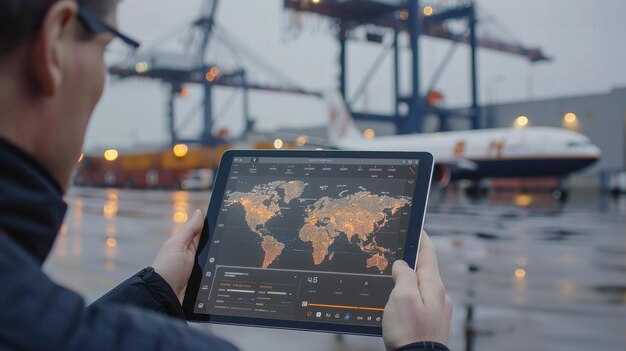
Install a signed 90-day pilot with three carriers to verify the value of Maersk’s Virtual Captain. This setup makes real-time visibility the default for customers and logistics teams, delivering a single source of truth that helps carriers optimize every handoff.
In June, early results show ETA accuracy improved by up to 15% and fewer temperature excursions in reefers tracked by the platform. These gains boost the cargo visibility for customers and carriers, and set a clear goal to reduce variance across the chain, enabling planners to make proactive adjustments rather than reactive fixes. Sensor data from the navigation layer shones through, offering a concise snapshot of each shipment.
To scale, launch a phased adoption that begins with a signed onboarding on three routes and define SLAs for exception management. Build a data governance framework that pools vessel, chassis, and sensor data to the navigation module, and to the reefers monitoring layer. For customers, provide a transparent solution that aggregates status, location, and temperature, and a catalog of oplossingen that address customs, documentation, and risk alerts.
The platform improves collaboration with surveyors by sharing secure, role-based views and guardrails for data consumers. It also lowers operational costs by predicting congestion and catching anomalies before they create delays. The result is a practical, navigable interface that supports faster decision-making and reliable ETAs across routes.
Onze aspiration is to make end-to-end cargo tracking a standard, delivering consistent updates to customers and logistics teams. By centering on real-time data, the Virtual Captain helps the business reduce disruptions, build trust with partners, and strengthen service levels across the network. This approach aligns with a long-term plan to sign fewer surprises and maintain a steady pace of improvement.
Maersk’s Virtual Captain: Practical roadmap for cargo tracking and customer interactions
Launch a three-phase pilot in a single trade lane using up-to-date shipment tracking, remote-controlled sensors, and a dedicated channel for customer interactions. This plan places the captain at the center of operations and defines a clear goal: faster responses and better visibility for seafarers and shipper teams alike. A first wave of alerts activates when thresholds breach, helping send timely information to stakeholders.
Phase 1 delivers core data: live status, last reported location, and situational ETA for the shipped cargo. It uses oceanpro integration where available and exposes a simple, user-friendly dashboard that is up-to-date and readable on mobile and desktop. This phase also tests reliability under varying network conditions to ensure the channel remains responsive during port congestion or offshore gaps.
Phase 2 widens scope to other companies by enabling standardized APIs that support send and receive operations with customer channels. This ensures partners in the maritime ecosystem can access consistent visibility, while security and access controls protect sensitive shipment details. The goal is to reduce manual inquiries and shorten time-to-resolution across multiple stakeholders.
Phase 3 focuses on release of advanced features: predictive routing, proactive alerts, and a captain-led decision loop for incident handling. The system aggregates data from ships, terminals, and carriers to provide specific recommendations, with time-bound actions that seafarers can execute. Customers receive clear, contextual updates through the channel, even when events occur far from shore.
Currently, the platform provides a unified channel for trade customers, while preserving data privacy and seafarer workflows. Implementing role-based access, audit trails, and configurable notification rules keeps information accurate and timely as shipments move through complex networks. This approach also supports shipped status confirmations and post-voyage reconciliation for completeness.
Goal remains practical and scalable: ushering a transparent, responsive cargo-tracking experience that aligns with Maersk’s service standards and the needs of other companies in the industry. By iterating on concrete features, the initiative stays focused on time-to-value, measurable improvements, and a seamless user journey for both customers and crews.
Real-time Tracking Details: location, ETA, movement history, and visibility across hubs

Enable a centralized real-time tracking panel that shows location, ETA, and a timeline of movement history for each shipment, with visibility across hubs, which helps teams align operations and save time.
Data sources include vessels, reefers, carriers, and terminals. The timeline aggregates events such as loaded, in transit, arrived at a hub, customs clearance, and shipped, so teams view the full path at a glance. While this approach reduces manual checks, it also speeds response times.
ETAs update automatically when a vessel shifts course or encounters delays. Auto-generated alerts notify the customer, the carrier, and operations staff, enabling quick decisions and reduced dwell time.
Visibility across hubs: provide a cross-hub view that highlights location, status by port or yard, and a map view over the network, plus a concise list. While some routes run smooth, this view helps prevent bottlenecks in the trade.
Mobile access via smartphone empowers the head of logistics, operations teams, and customers to stay up-to-date. Most critical alerts surface first, with a simple tap to view more details and the movement history.
To maximize impact, provide solutions that connect visibility data with customer systems and partners. Offer configurable alerts for shipped events, and export options for companies to share data with customers and other stakeholders.
Getting Started: chat, mobile app, and self-service setup for customers
Activate chat support and install the maersk mobile app now to unlock real-time tracking across your shipments.
- Profile and preferences: Create or update your customer profile on the maersk platform. Include anne-sophie as the primary contact and set notification channels (in-app, email, SMS). Choose источник for data input to ensure consistent data flow. This setup is becoming standard across customers.
- Link shipments and containers: Connect the number of active shipments you want to monitor (e.g., 5, 20, or 100) and attach all relevant containers. This enables a consolidated view in the radar view and timeline.
- Enable chat and alerts: Turn on chat-based support for quick answers and configure situational alerts such as delays, port congestion, or damage. Alerts are delivered via the app and email, with thresholds you set.
- Mobile app onboarding: Install the app, log in with your maersk credentials, and make the mobile experience available to the team. Enable offline container lookups and use the scan feature to capture container numbers and update statuses on the go.
- remote-controlled sensors and integration: If you have remote-controlled sensors on your containers, connect them to the platform so location, temperature, and door events feed in automatically. This keeps the integrated system current and reduces manual updates.
- shipped status and visibility: For each shipment, confirm the status as shipped and in transit. The system builds a timeline that shows events from pickup to delivery, boosting transparency.
- Self-service setup and suggestions: Use the self-service console to adjust roles, permissions, and alert rules. Try suggested baselines for common scenarios and refine them as you gather more data on operations.
- Data transparency and sources: Switch to the radar view to compare actual events against planned milestones. The platform provides situational snapshots and lets you export reports from источник data.
- september rollout and adoption tips: If you start in september, align onboarding with quarterly milestones and assign a primary owner to drive adoption across locations, ensuring quick wins.
- Lessons from practice: A real-world example shones how fast teams can move from setup to full visibility after enabling chat, app, and self-service controls.
Security and Privacy: encryption, access controls, and data retention policies
Encrypt all data at rest with AES-256 and in transit with TLS 1.3; deploy hardware security modules (HSM) for key management and rotate keys every 90 days, keeping an up-to-date inventory and revoking access for compromised keys.
Adopt layered access controls across the platform, combining RBAC and ABAC to enforce least privilege. Require multi-factor authentication for all administrative and critical-user accounts, implement Just-In-Time access for sensitive actions, and conduct quarterly reviews of access events to keep the head of security informed and ready to act.
Data retention policies categorize data by type and purpose: shipments data, telemetry, and service logs. Set clear windows (for example, shipments data kept for 2 years, sensor and temperature readings for 6 months, audit and event logs for 12 months) and automate secure deletion or archiving after those periods. Ensure that data used for analytics remains up-to-date through anonymization or pseudonymization where possible, and maintain a well-documented data lineage so customers can see how information moves through oceanpro and related systems.
Privacy-focused practices minimize exposure: collect only what is necessary, separate personal data from operational data, and apply encryption to backups. Provide opt-ins for non-essential telemetry and maintain a transparent view for customers about which data is collected from shipments, with controls to review or delete data where feasible. Such controls help seafarers and office staff alike, becoming time-saving, situational protections that support responsible data handling in real operations.
These measures support collaboration across teams and ecosystems. Features like role-based dashboards, access logs, and automated retention scripts are available to ensure compliance and accountability, ushering a robust security posture while remaining user-friendly for frontline operators and engineering teams.
- Encryption features: AES-256 at rest, TLS 1.3 in transit, PKI with regular certificate rotation
- Key management: hardware security modules (HSM), centralized key vaults, automated rotation
- Access controls: RBAC, ABAC, MFA, Just-In-Time access, periodic access reviews
- Data retention: defined windows by data type, automated purge/archiving, export options for customers
- Privacy protections: data minimization, pseudonymization for analytics, clear data lineage
- Operational visibility: tamper-evident logs, alerting, and audit trails for shipments and temperature data
- Customer view: controlled access to view shipments status in oceanpro with appropriate permissions
- Governance: policy updates and suggestions tracked by the head of security and security operations team
- Robotics and sensor data: secure pipelines from devices to cloud, with integrity checks and anomaly detection
System Interoperability: API access, TMS/ERP integration, and data synchronization
Enable API access immediately to link Maersk’s Virtual Captain data with your TMS/ERP and set a concrete timeline and goal. Gather real-time signals from containers, sensors, and carriers to drive unified decisions. Treat the system as a captain coordinating shipments across trade lanes, reducing manual data entry and accelerating exception handling. This foundation makes it easier to scale as you add remote offices and partners, which helps maintain consistency.
Expose standards-based APIs with REST of GraphQL endpoints, clear versioning, and robust error handling. Provide field mappings from maersks data models to your TMS/ERP schema, and use a unified event format to simplify integration. Attach timestamps to events so the timeline remains coherent. For cold-chain shipments, capture temperature readings and set proactive alerts to trigger replanning. Use sensible retry logic and backoff to manage transient network issues, and enforce beveiliging with OAuth2, mutual TLS, and per-partner API keys.
Bind TMS and ERP modules through middleware that translates Maersk’s event streams into ERP-ready transactions (ASN, invoice, POD) and WMS updates. Leverage remote-controlled sensors and IoT devices to provide live telemetry from ships, terminals, and yard equipment, ensuring data fidelity across systems. Maintain a single source of truth by standardizing identifiers for shipments, containers, and voyages, and minimize duplicates with idempotent message handling.
Adopt an event-driven synchronization strategy: publish-subscribe data flows via a number-of-threads-optimized broker, with delta updates to avoid full data dumps. Normalize data fields such as location, ETA/ETD, status, cargo type, temperature, fuel level, and port calls, then enrich with voyage history and equipment details. This approach keeps information current over multiple partners and enables near real-time visibility for the entire logistics network.
Establish governance with a short list of suggestions: appoint data owners, define service-level targets for data latency, and set KPIs for data quality. Create a practical rollout plan with milestones, assign responsibilities, and document which data elements are critical for operations. Start with a pilot on a limited trade lane, then scale to additional lanes, fleets, and customers, ensuring the latest integrations align with both internal processes and Maersk’s broader logistics strategy.
Handling Delays and Exceptions: notifications, rerouting, and proof of delivery workflows
Configure automated alerts to trigger within 5-10 minutes of any deviation and escalate to the captain if not acknowledged within 30 minutes, ensuring they flow into the crew’s on-board and shore workflows. Channel alerts through the in-app feed, email, and SMS so the latest information reaches seafarers and the company’s operations team simultaneously while supporting the aspiration for transparent cargo tracking. This approach is becoming standard practice, ushering awareness across the organization and reducing idle time that spikes emissions. Tailor some thresholds into real-world responses, so teams can make fast, data-driven decisions about shipped cargo and planned reroutes, while keeping the captain informed along the way, into a single, coherent process.
For proof of delivery workflows, require digital POD with time-stamped confirmation, location, and a photo or signature. Provide a traceable log that becomes part of the shipment record and can be shared with customers on request. Include an option to send POD receipts automatically to the shipper and the recipient to reduce disputes and support accountability. The goal is to have visible evidence while the cargo remains in the system until handover is confirmed.
Rerouting: when a delay is detected, the system should surface potential routes–alternate sailings, different ports, or earlier/later arrivals. Present side-by-side options showing ETA, cost, carbon impact, and required approvals. Allow the captain to approve or override in real-time, with an auditable trail. This approach becomes a key feature of the Virtual Captain, turning interruptions into opportunities to optimize schedules and reduce dwell time.
Operational workflows: use a common process for notifications, rerouting, and POD that enables provide visibility to all parties. Build into the processes a clear escalation path: alert, acknowledge, reroute, confirm, POD capture. Keep some thresholds for escalation and SLAs for each step to maintain consistency. Use outcome metrics to improve suggestions and adjust thresholds over time, guided by input from crew and customers, including figures like anne-sophie shones to sharpen awareness and capability.
| Trigger | Notifications | Rerouting Actions | POD Actions |
|---|---|---|---|
| ETA deviation or port congestion | Captain, operations, and customer receive alerts within 5-10 minutes; updated ETA, reason, and next steps described | Surface alternative sailings/ports; auto-refresh plan; require captain approval | N/A until handover; attach POD data when available |
| Delivery at new berth not ready | Immediate alert to crew and customer; confirm new timing | Reconfirm berth readiness; adjust crane yard plan; update cargo sequence | Capture POD on delivery; attach photos and timestamp; link to record |
| Documentation missing at handover | Compliance and customer alerted; request missing docs | Route to retrieve docs; re-run POD check | Capture POD when docs arrive; finalize record |