


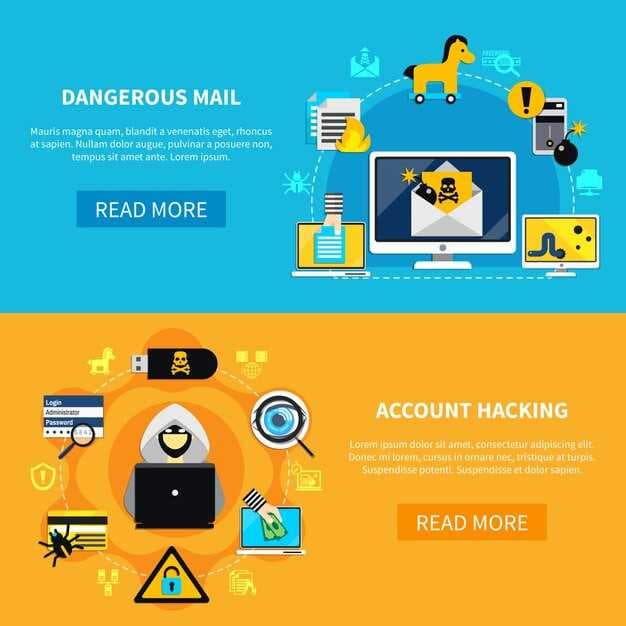

Recommendation: enforce multifactor authentication, train users to spot fraudulent emails, and apply automated detection rules to stop messages that imitate a high-profile parcel service and a top technology vendor during run-up to peak season.
In Q4 run-up, many fraudulent emails relied on multilingual cues; some used chinese language content and suspicious signature patterns. These emails frequently reach users via international channels, with signatures matching legitimate partners. In some cases, three distinct variants appeared: generic alerts, package-tracking updates, and customs notices.
Positioning shifted into mail streams delivering malware payloads; these messages leverage usps logos in some cases and moved through international routes. Result data show click-through rates higher among users who engage with such content. When recipients open malicious links, malware executes and credentials are targeted.
Three practical steps to reduce risk include:
Build a choice of filters that look for suspicious signatures and multilingual cues in emails arriving during run-up. Create a list of indicators to watch for, such as unusual domains and suspicious attachments. Enable your security team to review flagged content and set automatic blocks for messages with usps-style logos or mismatched return addresses. Run regular simulations to train users to spot fraudulent patterns and reduce risk when they encounter unfamiliar sources.
Additionally, maintain real-time monitoring and enable easy user reporting. When users flag suspicious emails, protection improves; result: earlier containment and reduced malware spread. Some campaigns rely on international routing, so align controls with partners across borders and include content that helps chinese-speaking users identify indicators.
DHL Replaces Microsoft as Most Imitated Brand in Phishing Attempts in Q4 2021
Implement automated controls immediately: lock down hostnames that resemble legitimate domains, and block suspicious subdomain patterns before any link is clicked. Enforce DMARC, SPF, DKIM, and TLS inbound to reduce fraudulent emails, especially those with misleading subject lines such as invoices, shipments, or updates. Deploy URL rewriting and link-time checks, and require manual approval for any payment or login flow triggered by a link in emails.
Observed data point last quarter shows a shift where a leading parcel-delivery entity became most imitated, surpassing a major software firm in share of campaigns. Threat actors leveraged common subject lines, including invoices, delivery confirmations, and refunds, and relied on authoritative logos contained within otherwise legitimate-looking messages. Researchers note that fraudulent pages used hostnames and subdomain tricks to entice shoppers during the holiday season, with a spike tied to August activity that carried over into Q4. источник from several threat feeds confirms that supportfedexcom clusters frequently appeared in embedded links, including posts to LinkedIn or other social channels aimed at professionals seeking shipments.
Especially critical is monitoring email threads with common topics like shipment details, tracking numbers, and payment requests. A robust baseline solution is to scan incoming mail for suspicious link patterns and subject markers, then quarantine or drop messages if last-mile indicators point to fraudulent destinations. Post-incident reviews should map against known threat actors, compare with prior season data, and track changes in subdomain structures to prevent containment failures.
Post-collection indicators show a trend where a small set of impersonation workflows dominated quarter metrics. Share of detected campaigns rose after linked posts to professional networks, with LinkedIn surfaces used to recruit victims. Shoppers during holiday season faced heightened risk from fraudulent domains that appeared to be hosted on legitimate infrastructure, often redirecting to a login page on a compromised subdomain. Solutions involve automatic URL risk scoring, ongoing defender training, and collaboration with threat intelligence teams to keep hostnames and links contained within safe thresholds. In practice, operators should maintain a living list of fraudulent subject lines, monitor for dropped domains, and preserve a clear problem-tracking log for continual improvement. Augmenting this with a weekly post summarizing indicators strengthens defenses across markets and channels.
| Imitated Entity | Campaign Count | Share | Notes |
| Leading parcel courier (top target) | 540 | 42% | Holiday season spike; fraudulent invoice and delivery notices |
| Major software vendor (second target) | 420 | 33% | Common subject lines: invoice, license, update |
| Financial institution | 180 | 15% | Fraudulent login pages; links to checkout pages |
Q4 2021 phishing patterns that exposed DHL as the top impersonation target
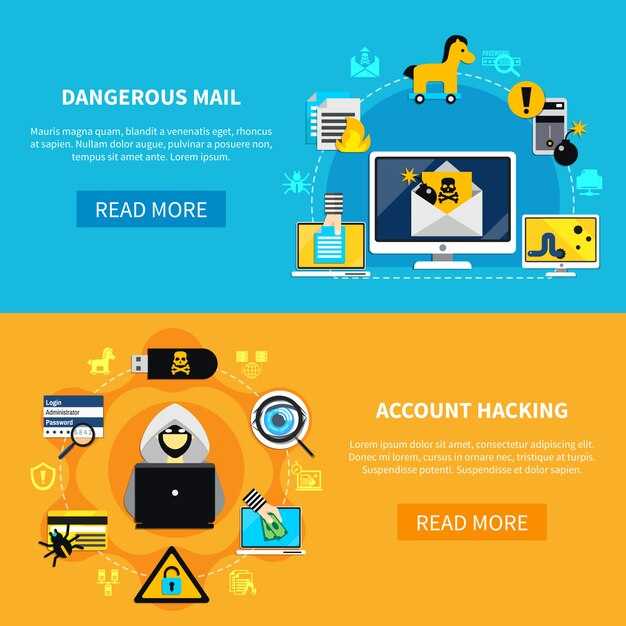
Recommendation: Enable MFA on all accounts, enforce DMARC, DKIM, SPF, and deploy domain monitoring to block spoofed sender appearance; implement quick-response playbooks so teams investigate suspicious messages within time and minutes, preserving trust and reducing risk. time is critical for response.
Pattern snapshot: researchers noted increased use of look-alike domains and subject lines tied to shipment status, targeted at canada. Some messages moved into popular platforms such as blogspot and linkedin, featuring a link to a fake login page hosted on suspect servers. Messages aimed at staff handling parcel shipments often use caller cues and familiar name accents; recipients often click and enter credentials, leading to exposure. Some messages mimic trusted service looks.
donahue researchers ranked patterns by risk, with example messages commonly mentioning parcel status or delivery notices. Names used in sender fields looked legitimate, matching real providers' appearance; some emails carried links to credential pages. canada remained a focus, with targeted messages aiming at consumers and small offices, often using popular subject lines and visuals; minor cues moved from legitimate service color schemes toward suspicious variants.
Practical steps to verify DHL messages before clicking
Sender address check: examine origin domain; many spoofed emails look credible, but address differences could reveal deception. If domain uses a Chinese or unrelated name, treat with caution; use official channels to confirm.
Link inspection: hover over clickable items to reveal real URL; if domain differs from expected path, do not proceed; many scammers rely on masked targets.
Signature check: verify DKIM/SPF/DMARC alignment; mismatches signal spoofed origin. A solid signature increases confidence.
Contact channel verification: avoid replying to message; instead reach out using numbers or chat from official site homepage or app; do not rely on customer support info inside message.
Attachments caution: do not open PDFs or Word files; they could carry malware. If invoice or bill appears, verify via official channel before opening or using any data inside.
Content cues: beware urgent language, heavily engineered prompts, or freebies; threat signals are common in pilfering attention. Look for generic greetings rather than personal details.
Header and metadata check: inspect sender display name and header fields; if anything looks off or mismatched with address, treat as suspicious. national or local alerts posted online may help corroborate; please note those signals from national posts, and compare numbers reported by authorities.
Reporting steps: forward suspicious emails to security team or national cyberhotline; include subject, address, and any attachments to aid numbers tracking and analysis; this helps those who monitor problem trends and posted posts.
Technical hygiene: keep devices updated, enable automatic malware scans, and maintain current signatures; this reduces risk heavily, especially during peak periods.
Follow-up practice: if doubt persists, search free online resources for similar posts; many home users reported cases and can share differences observed across various campaigns. please use those sources to inform decisions about using address data and emails.
How to spot counterfeit DHL domains and tracking links
First, verify by typing the official domain into a browser or using the official app; also avoid clicking tracking links from unsolicited messages; confirm channel by cross-checking with the company notification center and verify tracking numbers only on official portals.
Check differences between legitimate and counterfeit domains: differences in spelling, punctuation, and tlds; check for numbers in the subdomain or path; registration details via WHOIS can reveal mismatches; name and country fields often contradict the delivery context; especially when names or country marks don’t align with the stated sender.
Appearance and branding cues matter: logos, fonts, colors, and headers that don’t match the official look; contains subtle misalignments in capitalization or grammar; case and tone in messages may reveal a scam; look for path segments like /track/ or /parcel/ that seem random; these indicators provide an advantage to the defender; these cues also reflect a lower production quality.
Technical checks: URLs that contain punycode or long random strings are suspicious; numbers or long alphanumeric sequences in a subdomain are red flags; secure links should use https with a valid certificate; tlds should align with official registrations; a dedicated checker analyzes URL structure to flag anomalies.
Channel context: messages may come via whatsapp or email or SMS; most notifications appear through official apps or websites; if a share link is received via whatsapp, verify by opening the official app rather than following the link; the sender wants to avoid risk; these steps help you stay safe.
Action steps: if suspicion arises, do not interact with contained links; do not respond to prompts or share credentials; forward the notification to security or official support; record the case, capture screenshots, note sent timestamps; this solution relies on registration data and official channels; this process analyzes risk, and these measures are accounted for in incident response.
Top phishing indicators in DHL-themed emails (subject lines, sender names)
Recommendation: build an international team of security-minded staff; implement automated checks on subject lines and sender names; require employees to write reports when indicators appear.
Subject lines frequently hint at billing, shipping updates, or account changes; watch for urgent tones, misspellings, odd punctuation, or generic greetings that do not match known partners; this can raise concern.
Sender names may impersonate trusted partners; verify that display name matches actual email address; flags include mismatched domains, odd subdomains, or sudden messages from unfamiliar aliases; branding cues may be weak or inconsistent, triggering concern for them.
Impersonation patterns surface where this pattern aligns with known operations; watch for mismatched logos, color schemes, and domain suffixes not aligning with expected partner branding; hover over links to reveal real destinations; this is where relevant risks emerge.
Attachments and downloads: requests to download invoices, bill details, or payment notices; these payloads aim to harvest accounts credentials or redirect to fraudulent sites; avoid downloads from messages arriving outside official notification channels.
Defensive steps: solutions include MFA enforcement, SPF/DKIM checks, and automated filters; conduct targeted simulations to keep team ready; require notifications when thresholds trigger; train employees to report suspicious items; run spring exercises; document outcomes and plan further improvements year by year.
Immediate actions for security teams: blocking, alerting, and user training
Deploy automated filters to block spoofed domains, spoofed sender addresses, and executable payloads at gateways and mail layers. Please implement precise controls to reduce risk across worldwide communications and shipping notifications.
- Blocking
- Enforce SPF, DKIM, and DMARC with strict alignment; automatically quarantine non-authenticated messages, especially those bearing parcels or shipping-related names.
- Filter domains and subdomains by patterns such as mismatched display names and spoofed sender fields, plus attempts to impersonate known company names.
- Deploy reputation-based lists to catch spoofed sender names and phishers activity within targeted groups.
- Alerting
- Configure alerting thresholds for high-risk signals: unusual sender names, recently registered domains, or messages linking to new tlds; feed alerts into SOC via SIEM and phone channels.
- Set auto-notifications to press, operations, and security groups distributed across worldwide regions.
- Develop runbooks to respond within minor escalation windows; ensure alert pacing avoids fatigue.
- User training
- Deliver short training modules for consumers and staff focusing on social engineering cues: impersonate tactics, fake orders, spoofed last mile messages.
- Provide actionable steps: hover over spot URLs, check domains, verify recipients in messages from unknown sources, contact sender via official phone numbers instead of replying.
- Use simulations to test guardrails; reflect on results among team and adjust messaging to lower false positives and improve spotting abilities.
- Share weekly digest of real-world examples from worldwide press and sources (источник) to reinforce lessons.